What exactly is the DOM or DOM Tree? What does it contain? How does an element connect to it?
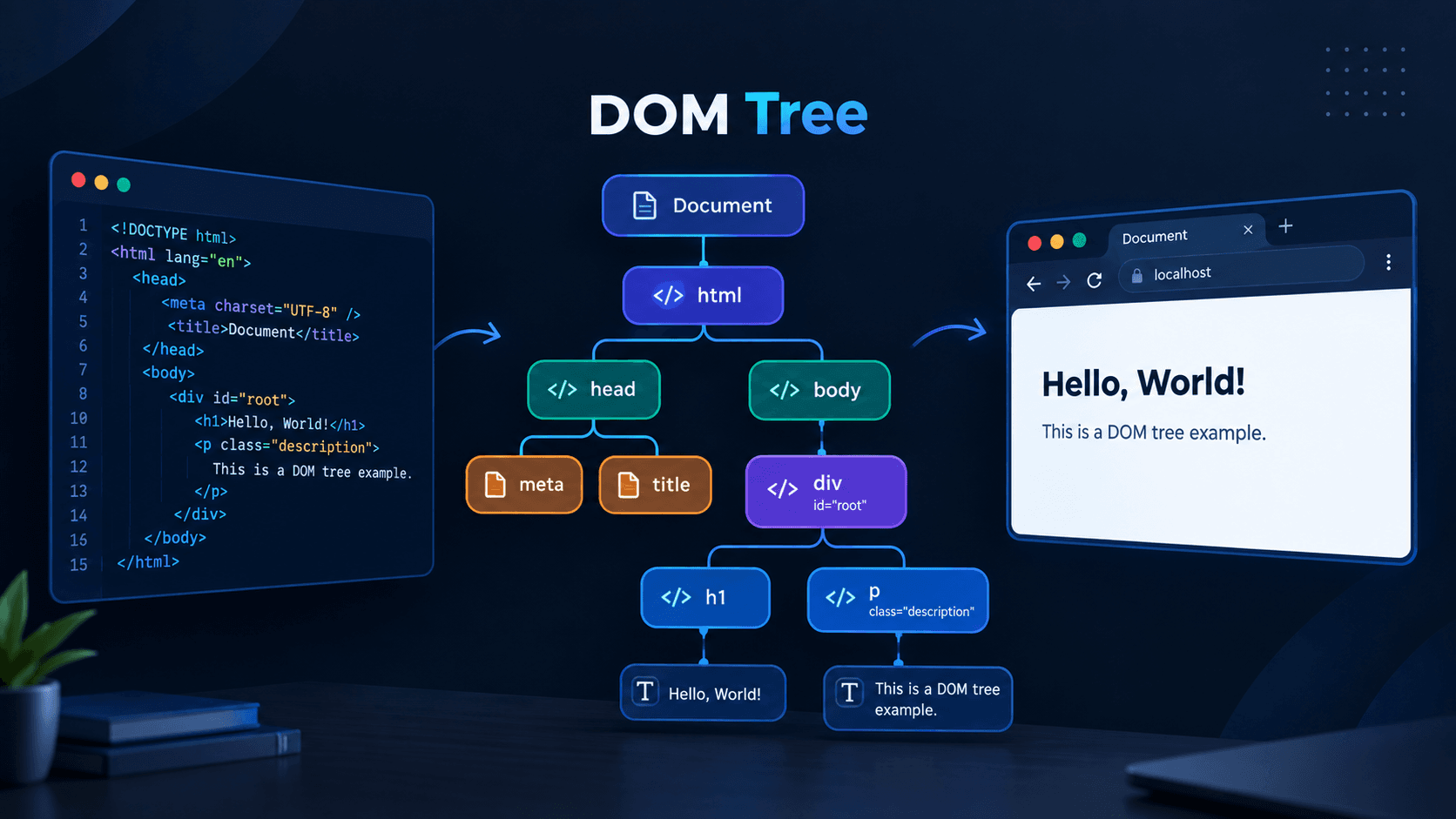
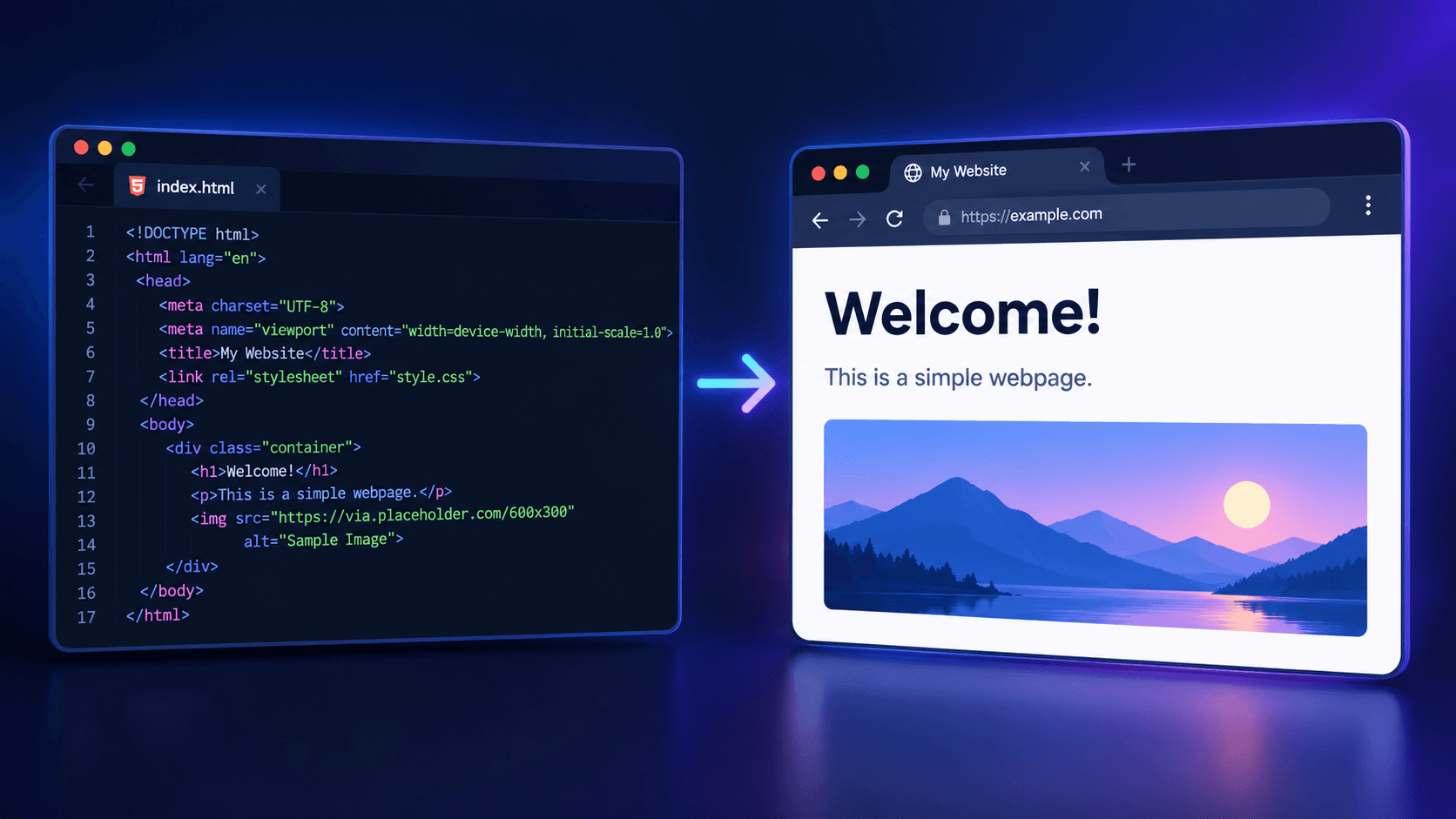
Everything we write as HTML code exists inside the DOM or Document Object Model. The browser basically parses the HTML code to create this DOM Tree. This is when we can see our code rendered and brought to life in the browser.
Every Tree has a Root Node. In the case of the DOM Tree, the Root Node is the Document. And the Root Element is html, which contains head and body. Again, inside head, we have title, link, etc. And inside body, we have the parts that we can see in the browser. That's why we write the code that needs to be visible in the browser inside body.
The document object is provided by JavaScript specifically to give us access to the DOM. In JavaScript, we use this document object to work with HTML/CSS. Interestingly, if you run console.log(document) in a separate JS file and try to see the output in the Terminal (Node.js), you will get ReferenceError: document is not defined. This is because document is not a part of JavaScript itself. It is entirely provided by the browser environment. You can access the document object only when your JavaScript code is running in a browser environment.
What does the document contain?
- Element: HTML tags such as
<div>,<h1>,<p>,<img>, etc. - Attribute: Attributes of HTML tags such as
class,id,src, etc. - Text: The text inside an element.
- Selector:
document.getElementById(),querySelector(),querySelectorAll() - Creation:
document.createElement() - Modification:
element.innerText,element.setAttribute(),element.removeAttribute(),element.style - Append/Remove:
element.appendChild(),element.removeChild() - Event Handler:
document.addEventListener(),document.removeEventListener()
How is an element connected inside the Document Tree?
When we create an element using createElement, that element is basically created separately and remains outside the DOM Tree. It has not yet been connected to the Document Tree.
As soon as we use appendChild to append the element, the element we created (the button shown in the image) becomes connected to the DOM Tree.